

Hızlı Git
Imagine you are about to start a project. Actually, you may not even need to imagine it. If you are a student like me, you already have a project to submit almost every term. As a landscape architect, getting to know the site is one of our first priorities in the planning and design process.
In this article, I prepared a list of websites where you can produce map-based analyses while preparing a poster or a presentation board. I think they can be especially helpful for your site analyses during the planning phase. Overall, I researched nine websites that I personally liked for map-making and analysis. Let’s take a look together.
Helpful Websites for Weather Analyses
1. VENTUSKY
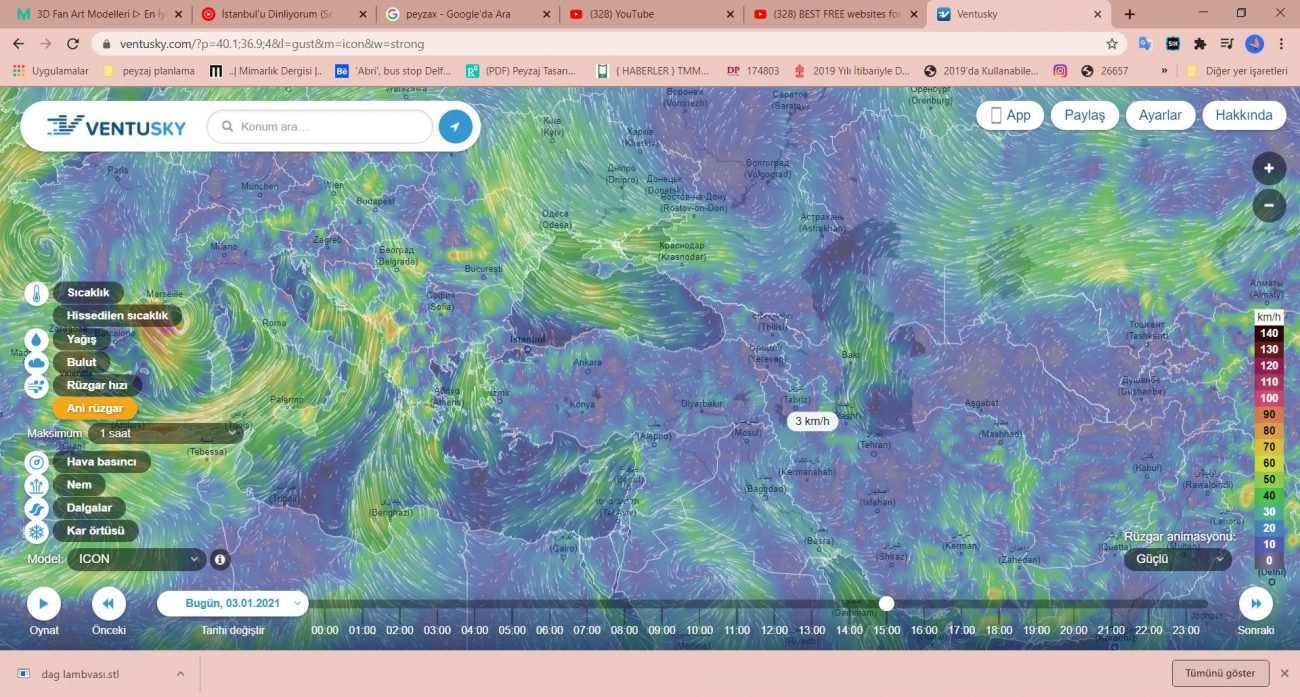
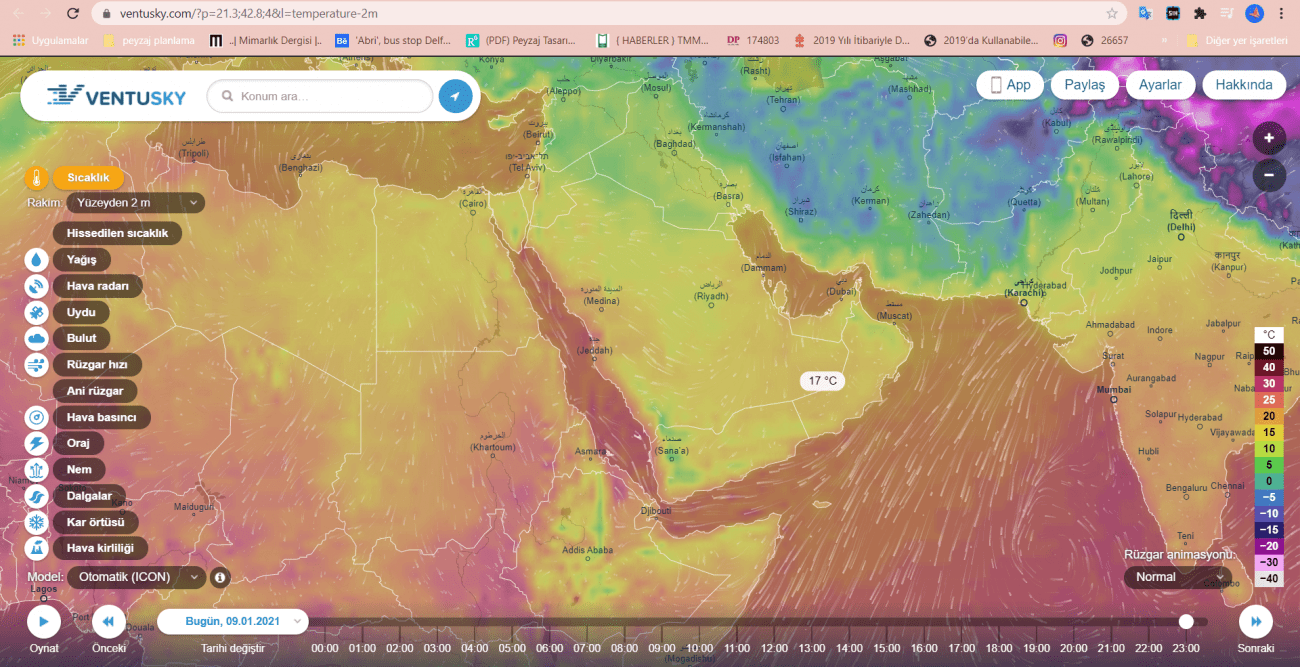
With the Ventusky website, you can explore weather analyses for the world and for your study area. The data it offers includes monthly changes such as temperature shifts, wind direction, and air pollution. These changes are shown on the map through graphics and color transitions. This makes climatic data feel more compelling, because it is not only a numerical or chart-based explanation, but a colorful spatial narrative.
2. METEOBLUE
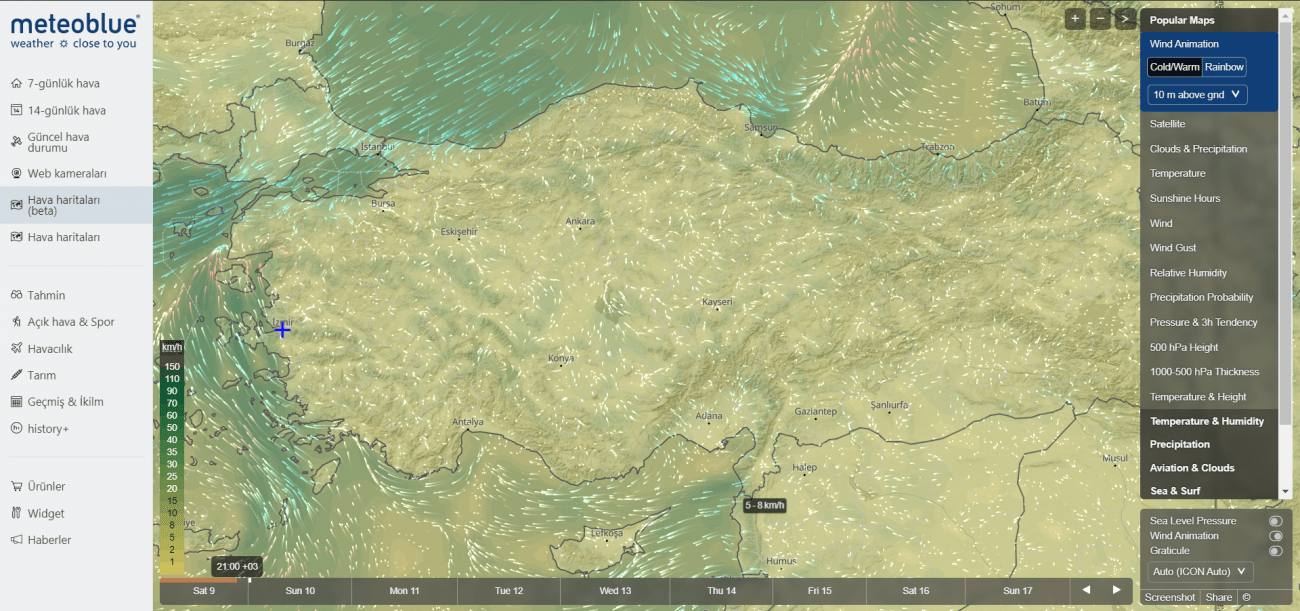
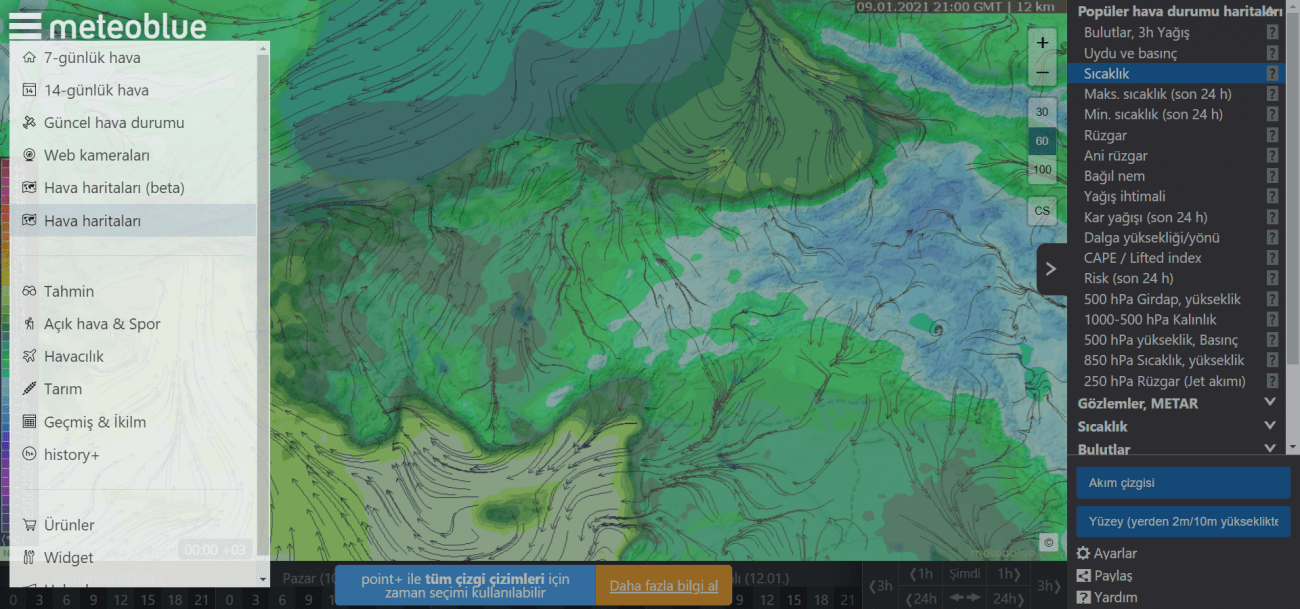
Meteoblue offers a wider range for weather-related analyses. In general, it has similar content to Ventusky, but Meteoblue also provides additional layers and sections for agriculture, outdoor sports, and aviation. Visually, it feels more developed and detailed. The free features are enough for me, but if you want more, a Premium option unlocks the full set of tools.
Websites Where You Can Do Map-Based Analyses
1. OPENSTREETMAP
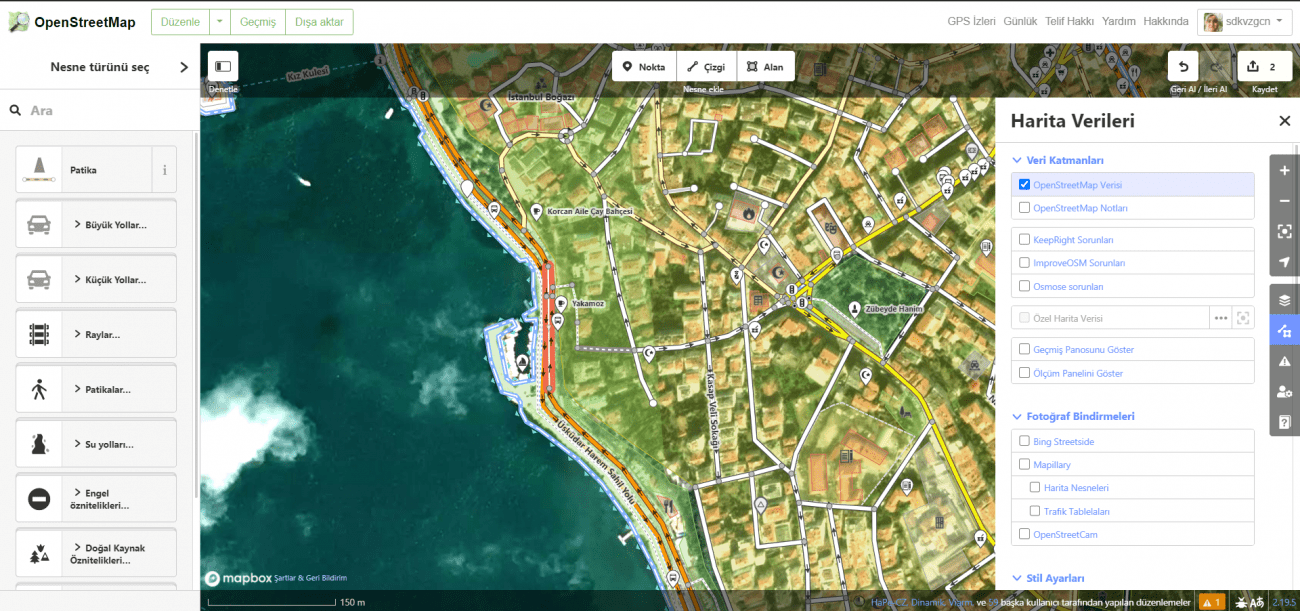
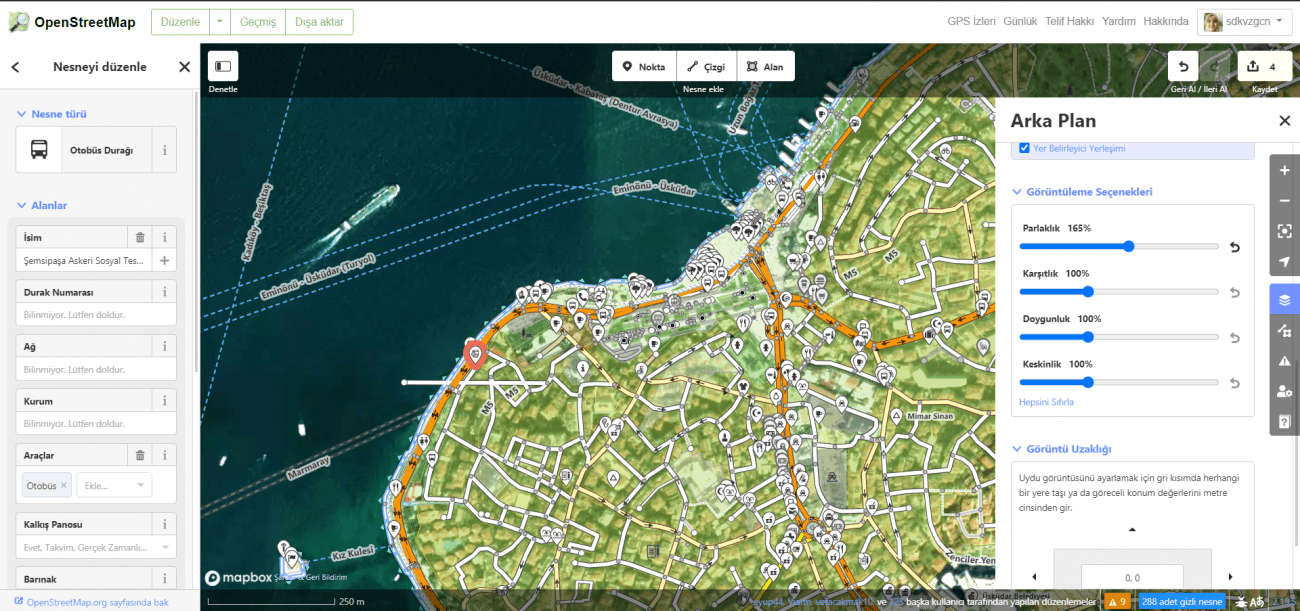
OpenStreetMap gives you the opportunity to work directly on the map. What I like most is its ability to show the same area in different map styles. You can also combine certain map features and layers. In addition, you can adjust brightness, contrast, saturation, and sharpness on the map you create. The only downside, in my view, is scale. In drawing and site studies, around 1/5000 scale you can still read roads, streets, and parcels clearly. But when you move into larger scales, the amount of available detail may start to decrease.
2. NASA POWER (LaRC)
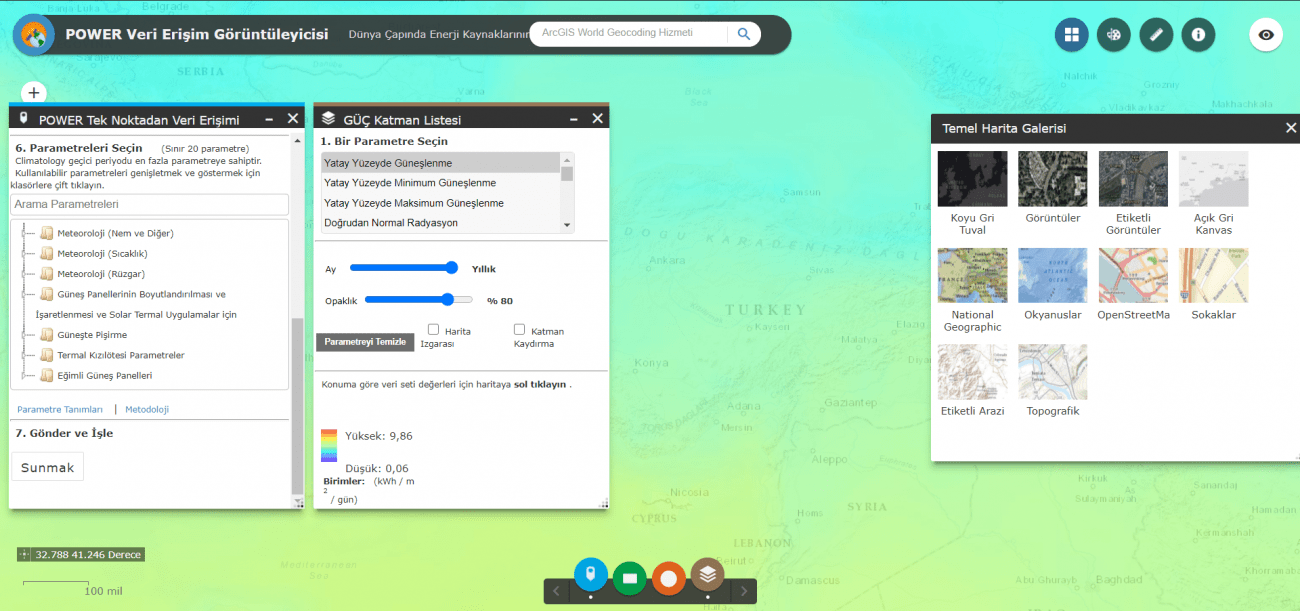
Basically, this is a map-based analysis system developed by NASA. The interface is similar to Google Earth, so it is easy to understand and navigate. Compared to Google Earth, one of its biggest advantages is that you can draw directly on the map. It also presents temporal change and meteorological data on the map. Especially for planning projects, it can be very helpful to define how your site changes over time.
3. MAPBOX
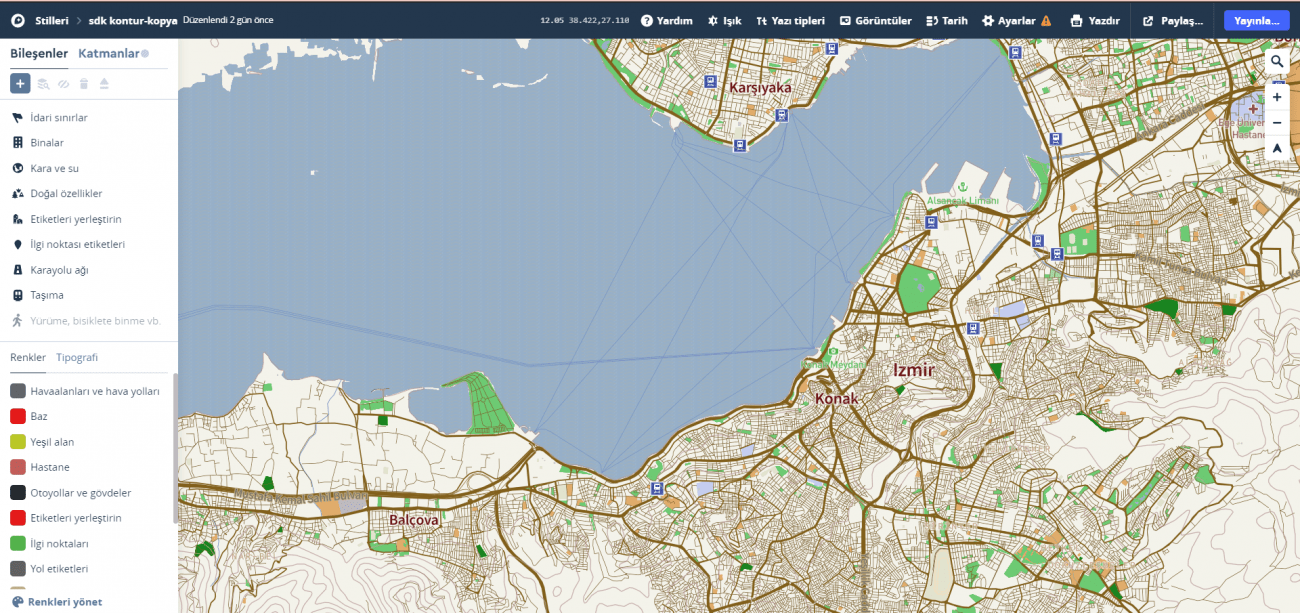
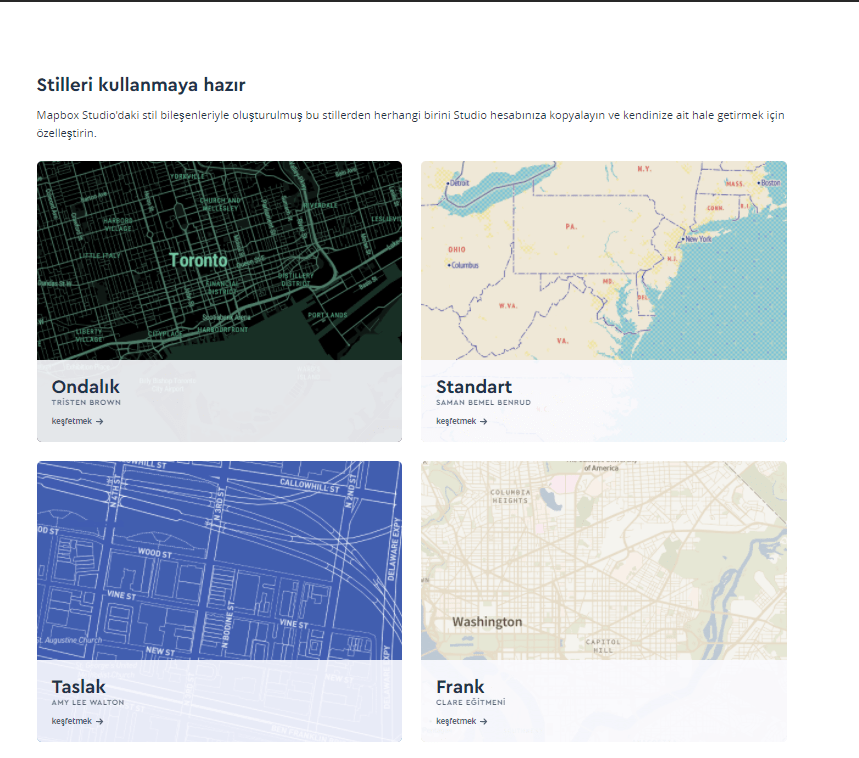
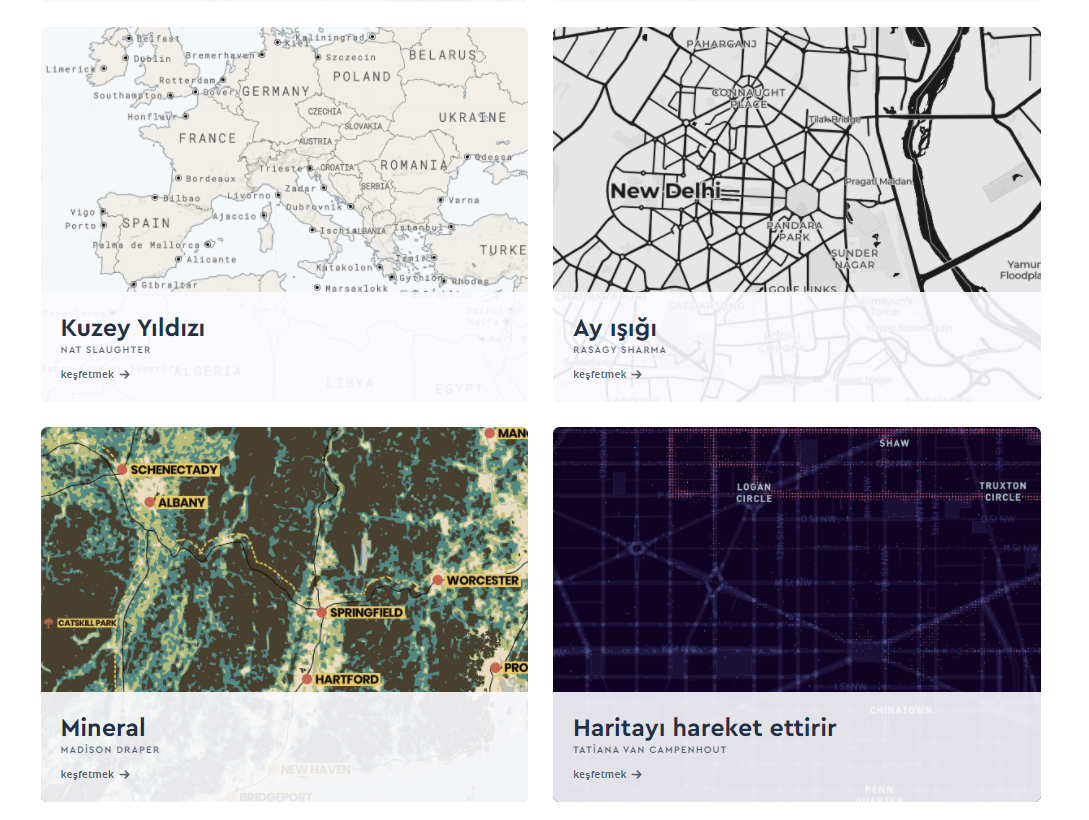
The biggest feature of Mapbox is that it allows you to create your own map. Through ready-made templates, you can decide the colors, textures, typography, and map properties yourself. By producing maps unique to you, you can place a distinctive visual identity into your projects. This can add a very characteristic tone to your presentation boards. Mapbox is my favorite, but it offers users the option to download up to 100 maps, and anything beyond that becomes paid.
4. CADMAPPER
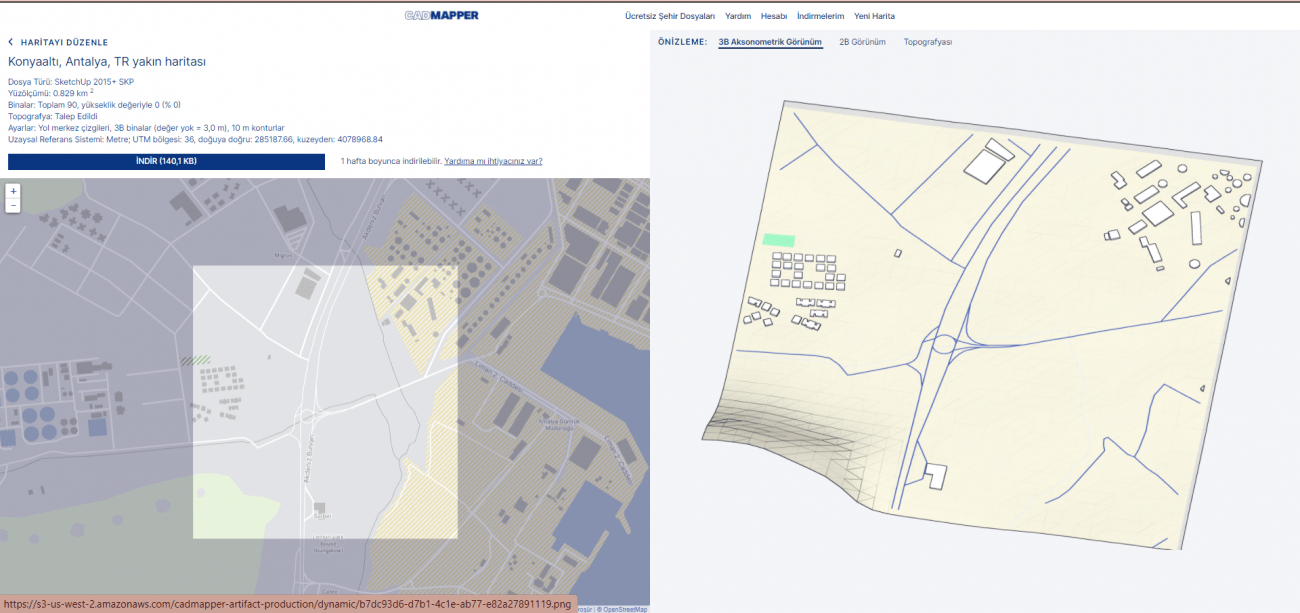
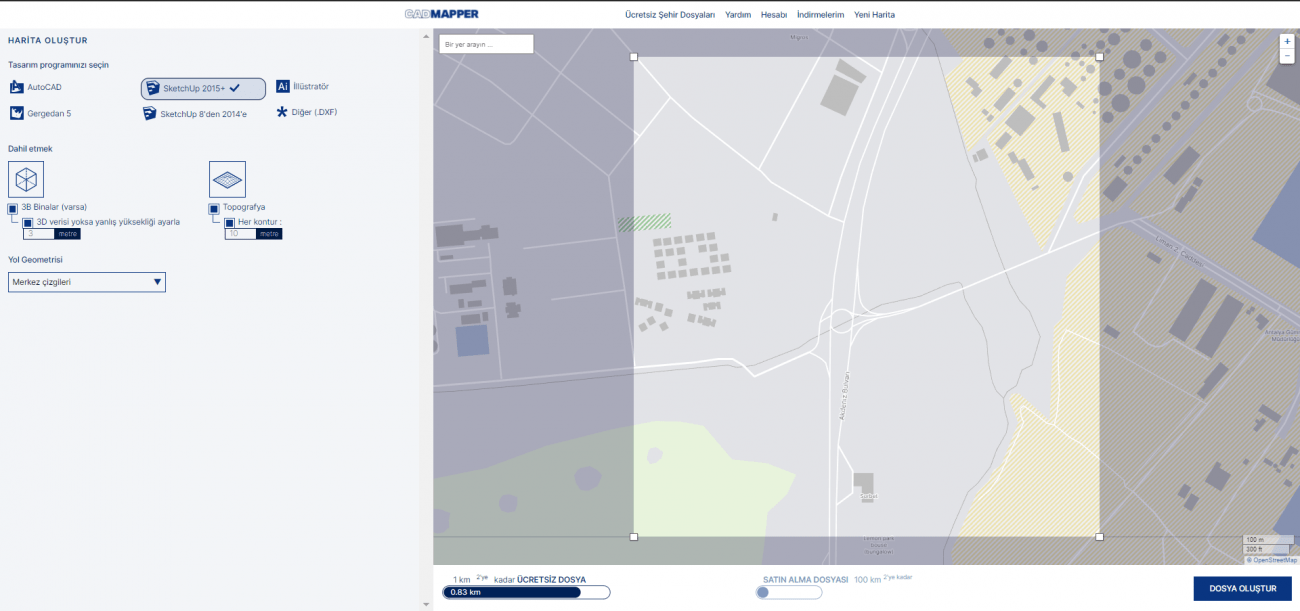
Cadmapper lets you export site data in formats such as AutoCAD, SketchUp, Illustrator, Rhino, and DXF. It can also provide 3D buildings, landforms, topography, and contour lines. In other words, you can bring maps into your project in different formats depending on your workflow. The platform offers up to 1 km² for free. Larger extents and some advanced features are paid, and the fee increases as the map area grows.
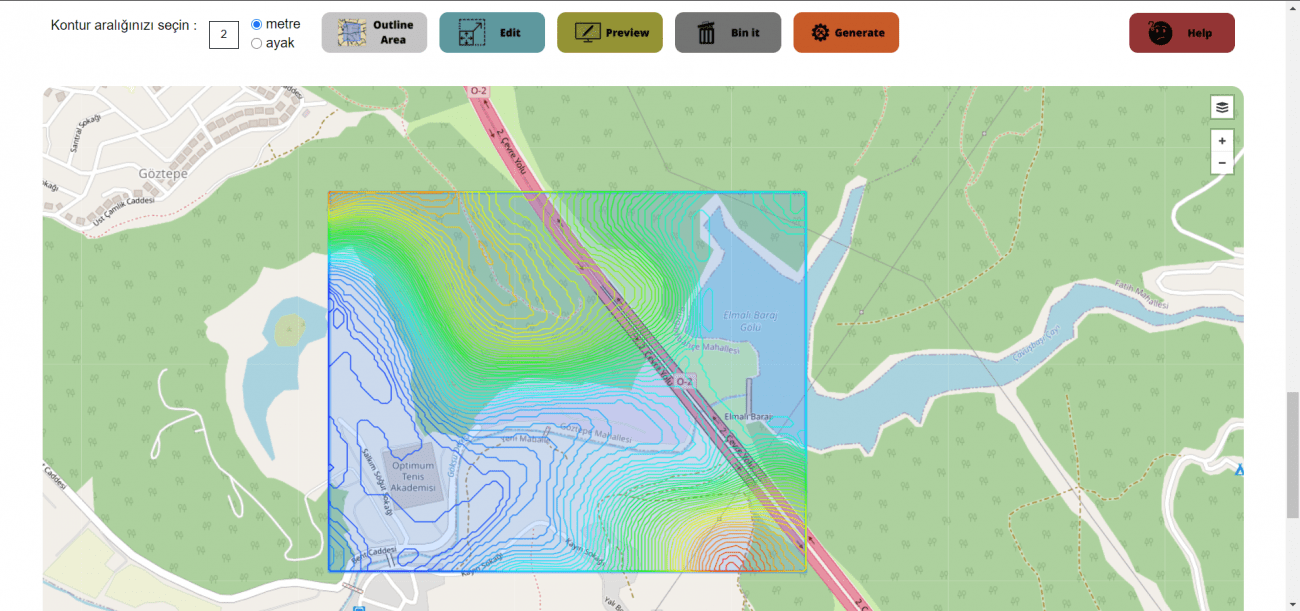
5. CONTOUR MAP GENERATOR
Contour Map Generator provides extensive information related to terrain contour lines. It also models your area based on elevation data. However, most of its features are accessible only with a paid plan. This makes it less attractive in practice, especially for students.
6. PUDDING
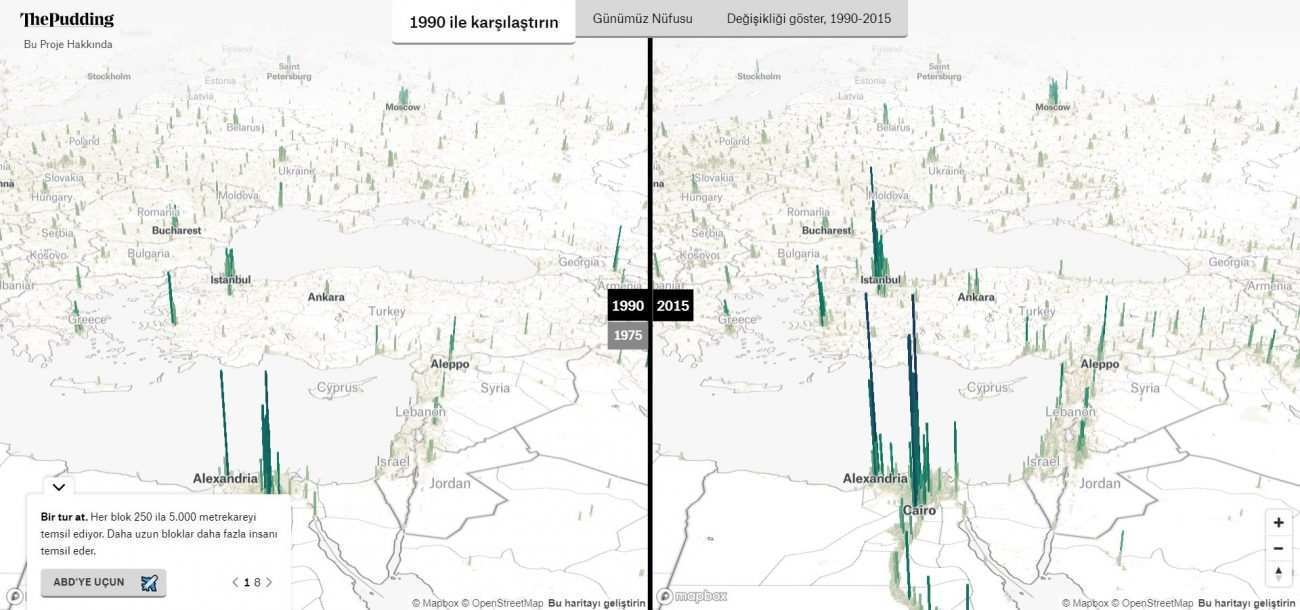
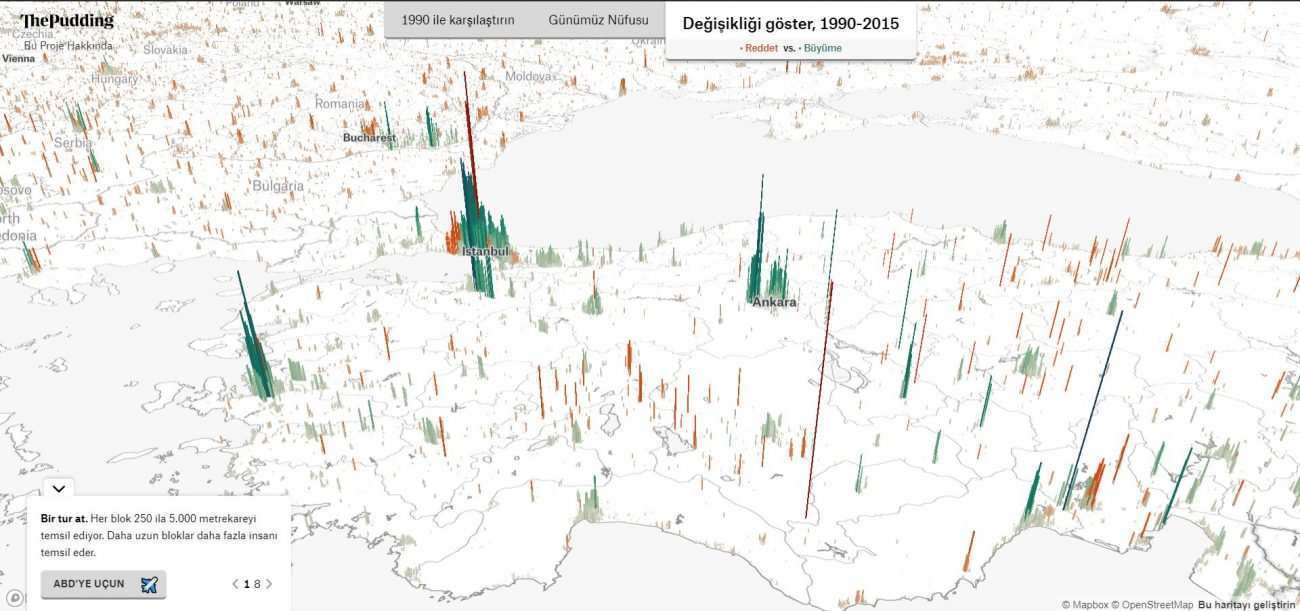
The last website we will look at is Pudding. This site visualizes global population distribution on a map. It is especially useful for expressing population in a graphic and spatial way. It also provides a temporal change map for population over time. For population analysis, it can add a different visual layer to your presentation boards.
As a senior landscape architecture student, these were the map analysis websites that caught my attention while preparing planning boards. I think they can be especially useful during the planning stage. That is why I wanted to share them with you.
If there are other websites you would recommend that I did not include here, I would love to hear your suggestions in the comments.

